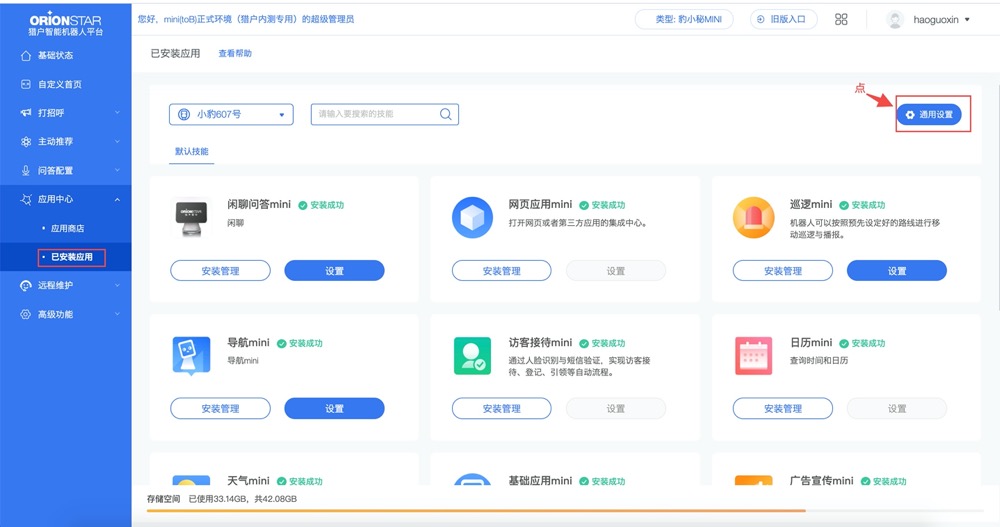
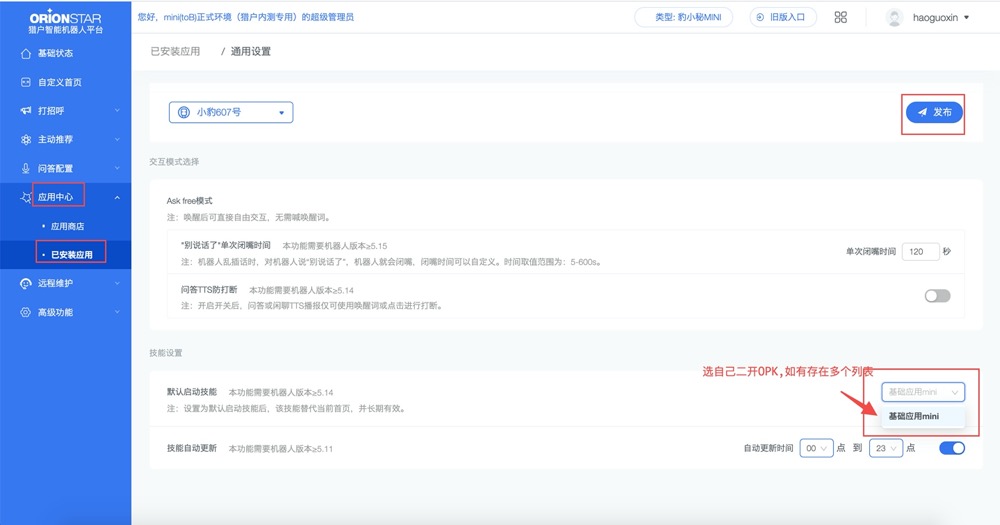
Switching Between OPK and APK Development Environments
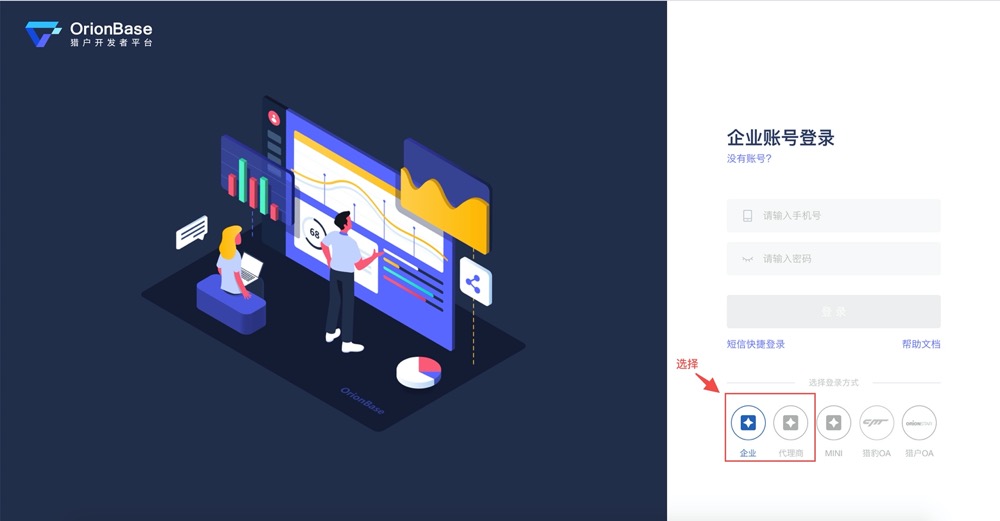
Log in to the OrionBase platform (https://console.orionbase.cn)
Account (Reception Admin/EO admin): the super administrator’s phone number and password
Publish App -> App Distribution


Note:
- After turning on the switch, wait 3-5 minutes and check whether the app has started successfully.
- If the switch times out, restart the robot and then try switching and starting again.
If you are not replacing the system OPK, skip the following steps:
To switch to a custom-developed OPK, switch to the RN environment, then in Reception Admin (https://jiedai.ainirobot.com/) select the custom-developed OPK app and choose Publish App -> Switch and Start.