BigScreenBot Development
Introduction
BigScreenBot is the large-screen version of GreetingBot and supports displaying content on a large screen.
1. Permissions
To display content on BigScreenBot, your app must request the SYSTEM_ALERT_WINDOW permission for global pop-up windows.
<uses-permission android:name="android.permission.SYSTEM_ALERT_WINDOW" />
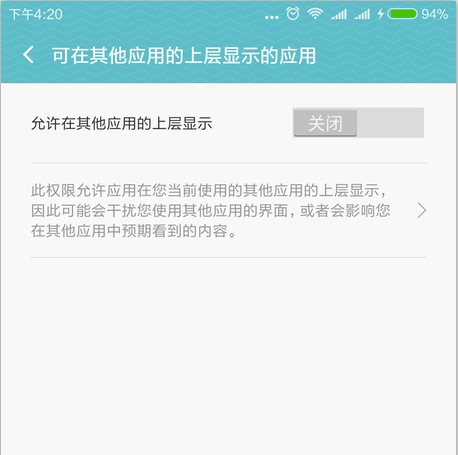
2. Known Issues with the Large Screen
The large screen is adapted by rotating it from landscape to portrait, but the system cannot correctly read the screen information after the rotation. A coordinate conversion is therefore needed to keep the screen’s aspect ratio correct. For details, see the following part of the demo code:
private int screenWidth = 0;
private float scaleX = 0;
public BSImageDisplay(Context outerContext, Display display) {
    super(outerContext, display);
    Point pt = new Point();
    display.getSize(pt);
    screenWidth = pt.y * pt.y / pt.x;
    scaleX = pt.x * 1.0f * pt.x / pt.y / pt.y;
}
@RequiresApi(api = Build.VERSION_CODES.LOLLIPOP)
@Override
protected void onCreate(Bundle savedInstanceState) {
    super.onCreate(savedInstanceState);
    setContentView(R.layout.bs_image_layout);
    //Because of the landscape/portrait orientation, the large-screen resolution needs one conversion, hence the conversion code below. Without it, the aspect ratio will be wrong.
    //Because there is a problem, we have to rotate the screen, so we have the code below
    findViewById(R.id.bg_image_main).getLayoutParams().width = screenWidth;
    findViewById(R.id.bg_image_main).setScaleX(scaleX);
   ........
}